
The Porto theme provides flexible and robust options to create and customize your website footer setup. You can set up the footer using two methods: the Footer Builder (highly recommended for flexibility and advanced customization) or the Classic Widget Arrangement (available only in Legacy Mode). Follow this guide to create a footer that matches your design vision.
If you prefer a simpler setup, you can configure the footer through the Theme Options. Before that, you should disable FSE mode in Porto > Setup Wizard > Full Site Editing page.
1. Access Footer Settings
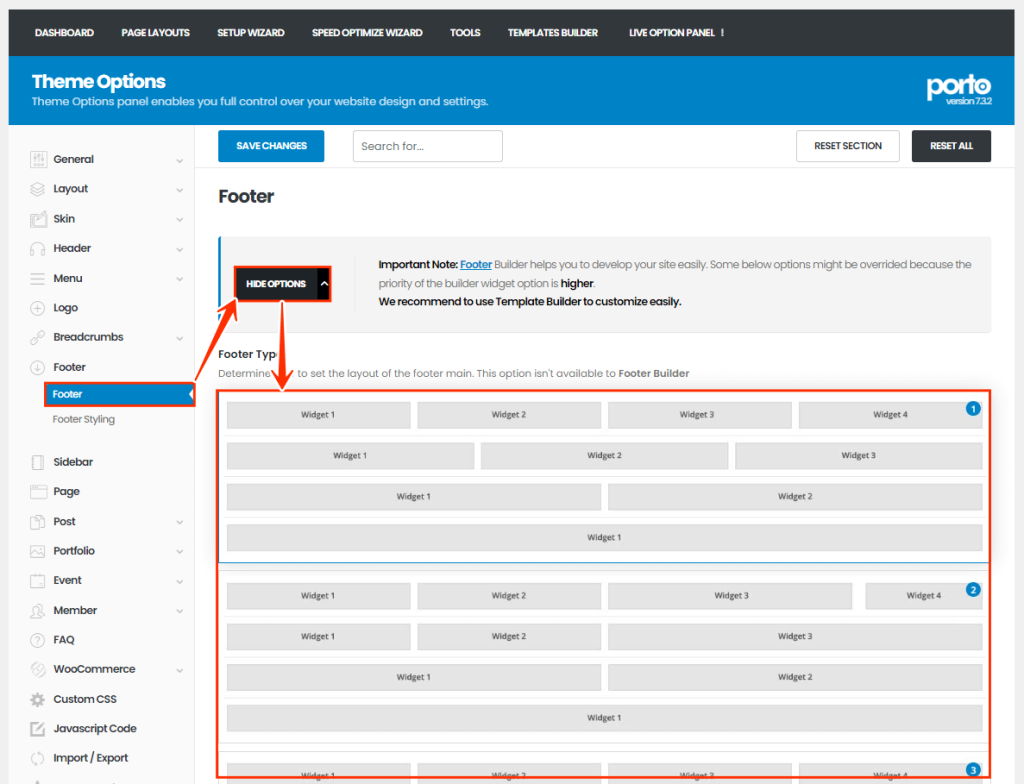
Navigate to Porto > Theme Options > Footer.
2. Choose a Footer Layout
- Select from the pre-designed footer layouts available in the theme.
- Adjust styles to fit your site’s overall design.
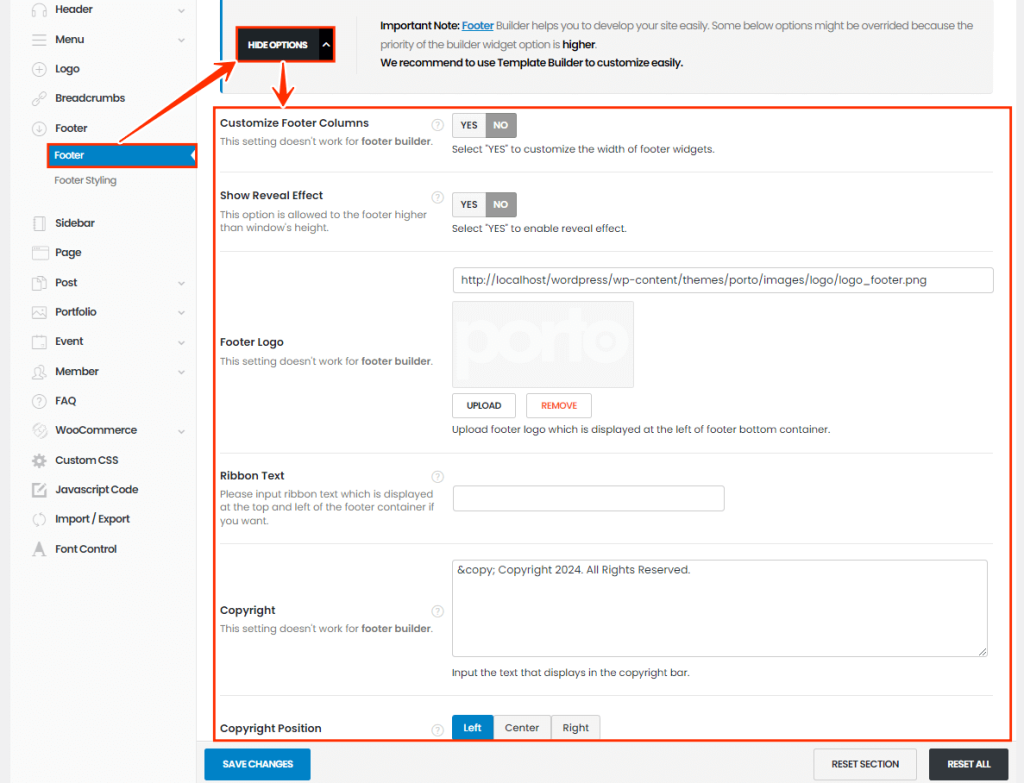
3. Customize Footer Options
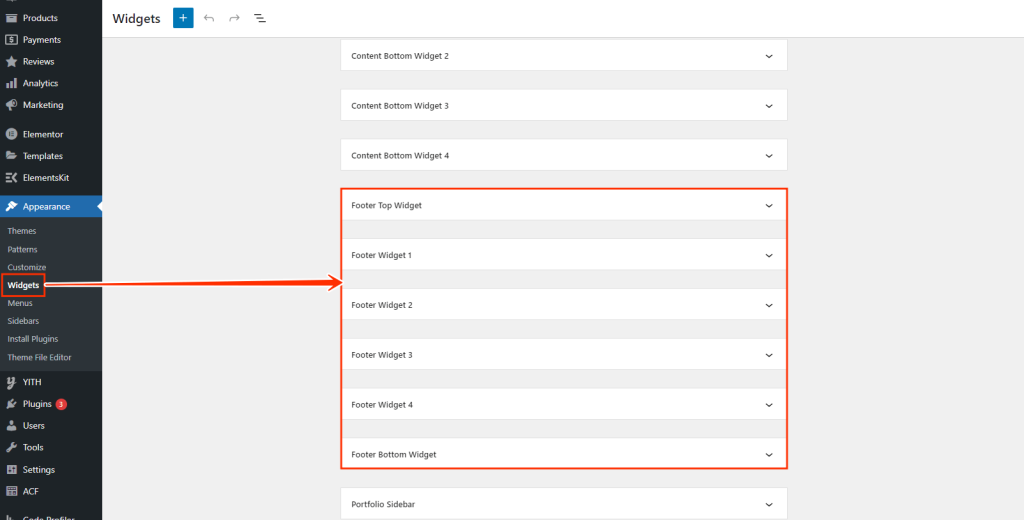
4. Add Widgets
- Go to Appearance > Widgets.
- Drag and drop widgets (e.g., text, navigation menus, or social media links) into the available footer widget areas.
5. Save Changes
Once your footer is customized, click Save Settings to apply the configuration.
Why Choose Porto Footer Builder?
Porto Footer Builder provides a more advanced and integrated solution than Elementor Pro Footer Builder, offering:
- Full compatibility with Porto-specific widgets and features.
- Streamlined control over display conditions.
- Seamless use of Elementor Pro widgets within the Porto Footer Builder environment.
For additional assistance, the Porto support team is available to help resolve any issues or guide you through the process.
