
To enable the sticky header in the Porto, follow these steps:
Step 1: Via Theme Options
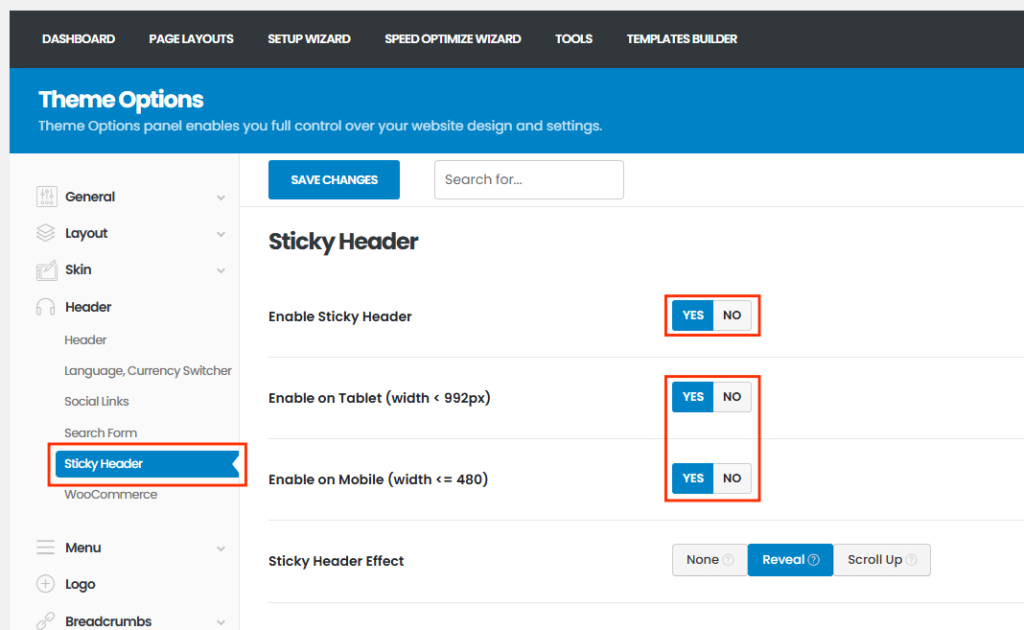
- Go to WordPress Dashboard > Porto > Theme Options
- Click Header
- Scroll to the Sticky Header section
- Enable:
- Enable Sticky Header
- (Optional) Choose whether to show sticky on tablet, mobile
- Click Save Changes
Step 2: Using Porto Header Builder
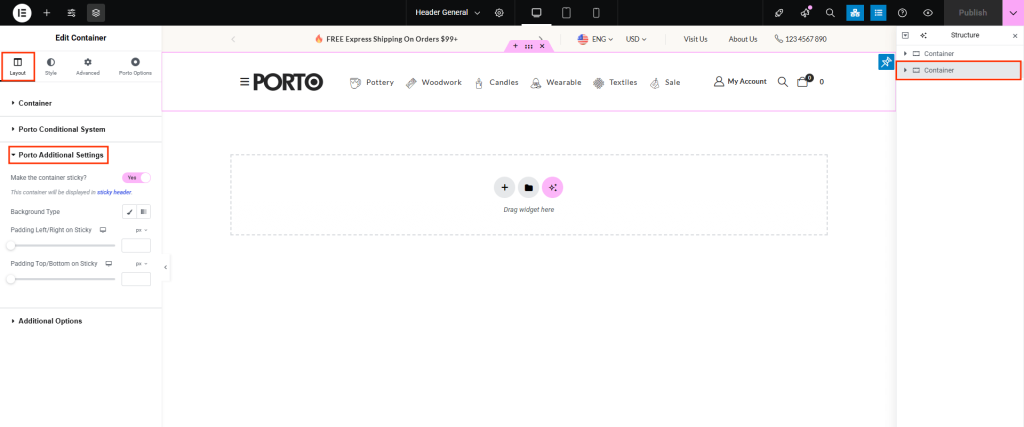
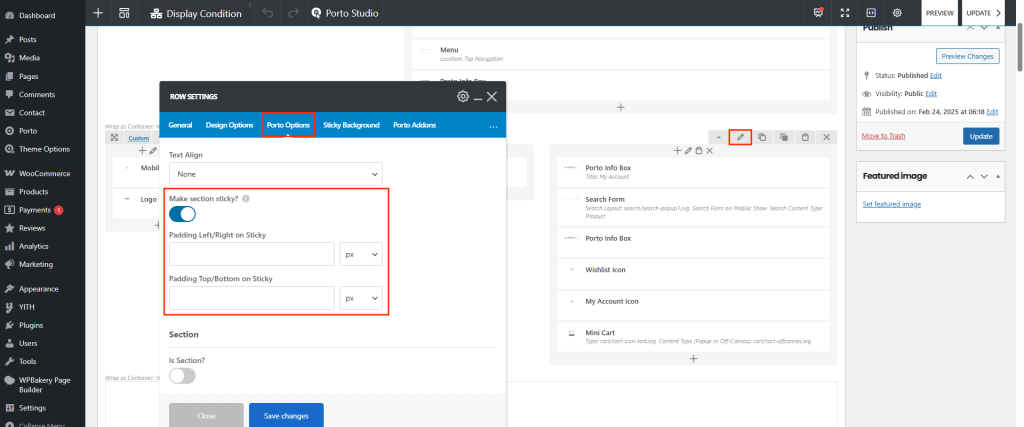
- Go to Porto > Template Builder
- Edit the Header Block you're using
- Click the Row or Section that contains the navigation menu
- In the settings sidebar, look for a Porto Additional Settings
- Enable the sticky option and configure behavior (like background, padding, etc.)
- Save changes
Sticky Types You Can Use:
- None (header stays fixed at the top of the page as you scroll and default “always visible” sticky header behavior)
- Reveal (hidden initially, but reveals itself smoothly when scrolling past a certain point)
- Scroll Up (only shown when the user scrolls up)

