
If you wish to make the "Add to Cart" section sticky on the single product page, Porto offers a couple of flexible options based on the mode you're using.
For Legacy Mode:
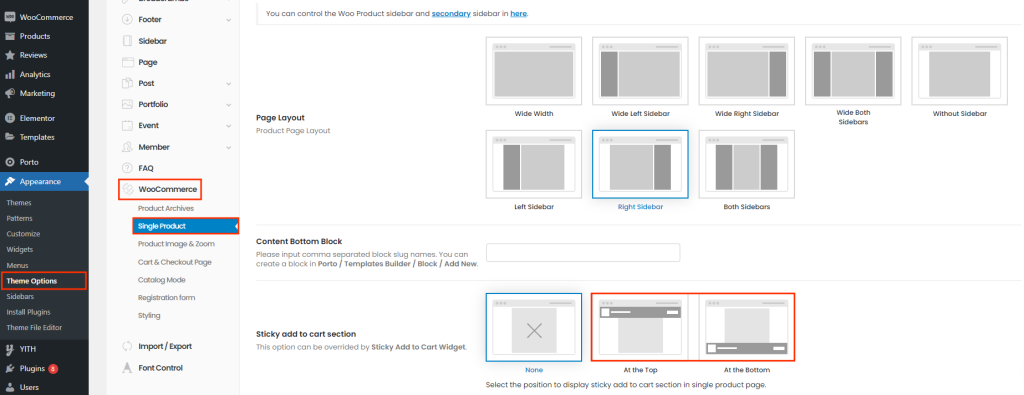
You can easily enable the "Sticky Add to Cart" feature by navigating to Porto > Theme Options > WooCommerce > Single Product Page. Simply activate the "Sticky Add to Cart Section" setting, and this will make the "Add to Cart" section remain visible as users scroll through the product page
For Full Site Editing (FSE) Mode:
If you're using FSE mode, Porto provides more advanced customization options. You can add the "Sticky Add to Cart" widget to the block created with the Product Single Builder located at Porto > Template Builder > Product Single Page. This widget allows you to not only enable the sticky feature but also adjust its position and style, ensuring a seamless and engaging shopping experience for your customers.
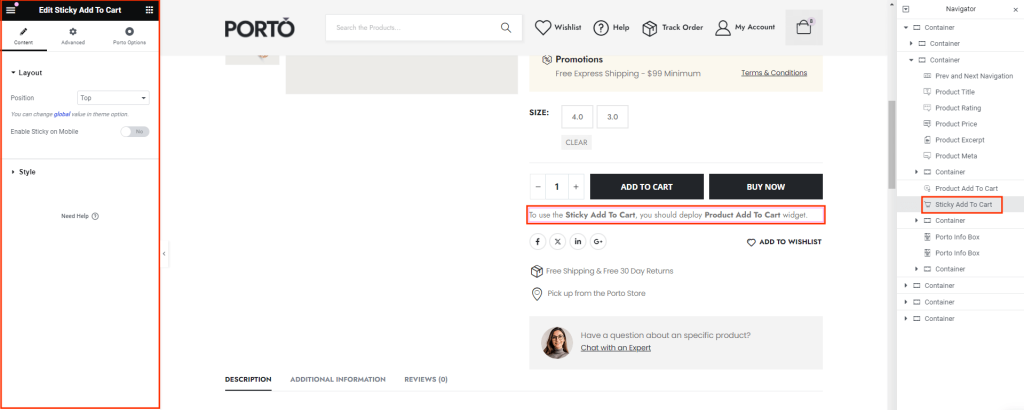
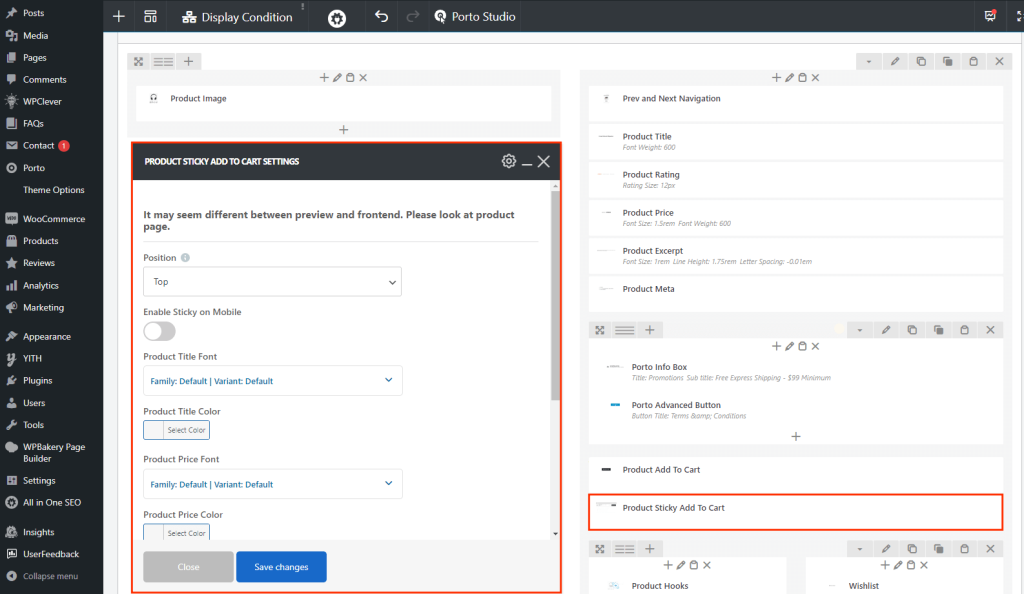
Note: To use the "Sticky Add to Cart" widget, you should deploy "Product Add to Cart" widget first.
These options allow you to enhance user experience by keeping the "Add to Cart" button readily accessible, improving conversion rates and overall site usability.
