
Menu Type
Porto offers a robust and versatile menu system, crafted to enhance site navigation and elevate user experience. The theme provides seven distinct menu locations, allowing site administrators to strategically place navigation elements for an optimized user journey. Below is an overview of each menu location available in Porto, along with instructions on menu allocation and widget options.
- Main Menu – Serves as the primary navigation guide, helping users move through main sections of the site.
- Secondary Menu – An additional menu for displaying secondary links or less prominent categories.
- Sidebar Menu – Placed within the sidebar, ideal for content-rich sections or nested sub-categories.
- Top Navigation – A compact, top-level menu offering quick access to essential links.
- View Switcher – Enables users to toggle between different viewing options or site settings.
- Currency Switcher – Allows users to select their preferred currency for browsing and shopping.
- Account Menu – A dedicated area for user account links, profile settings, and related options.
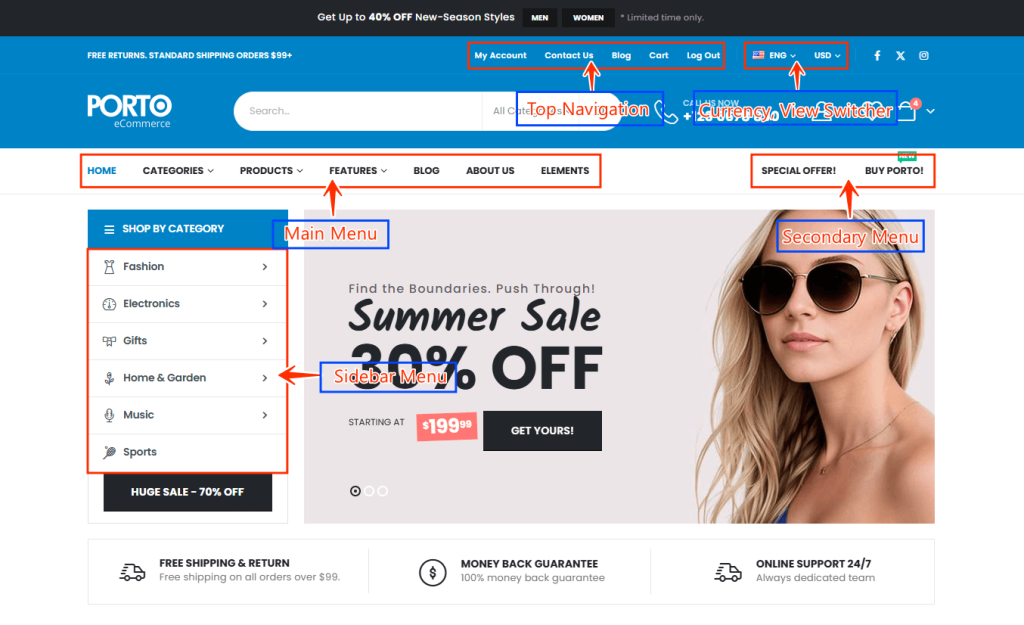
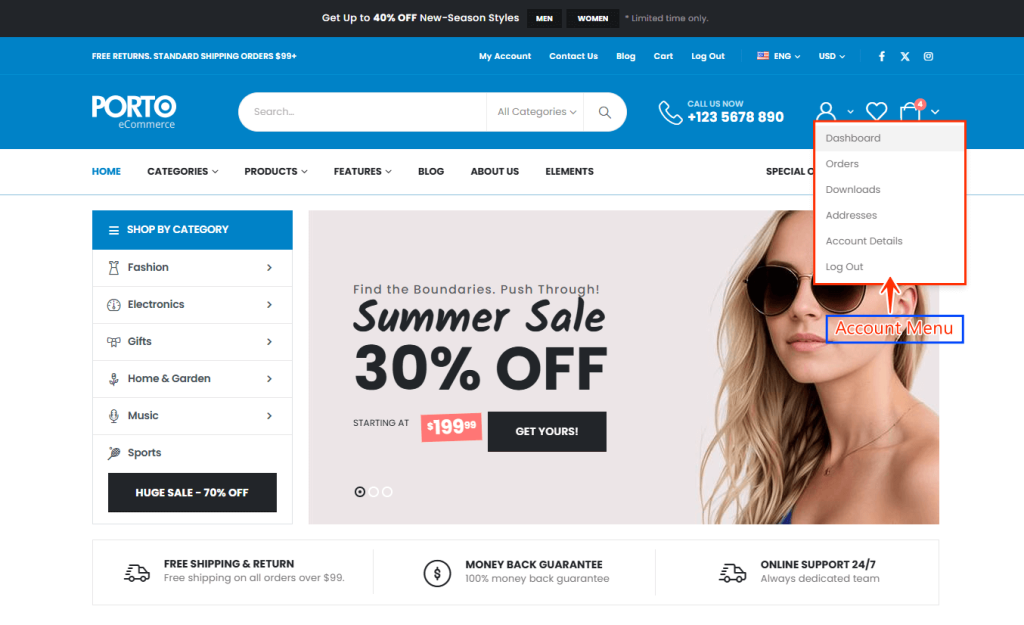
Each menu location provides a customizable, intuitive navigation experience, making it easy to manage content flow and enhance usability. Please refer to provided screenshots for visual guidance on assigning menu locations in the Porto theme.
Menu Allocation
After creating menus in Appearance > Menus, follow these steps to allocate them to each designated location:
- Navigate to Appearance > Menus > Manage Locations.
- Use the dropdown menu to select the appropriate menu you created for each location.
- Save your settings to apply your menu allocations site-wide.
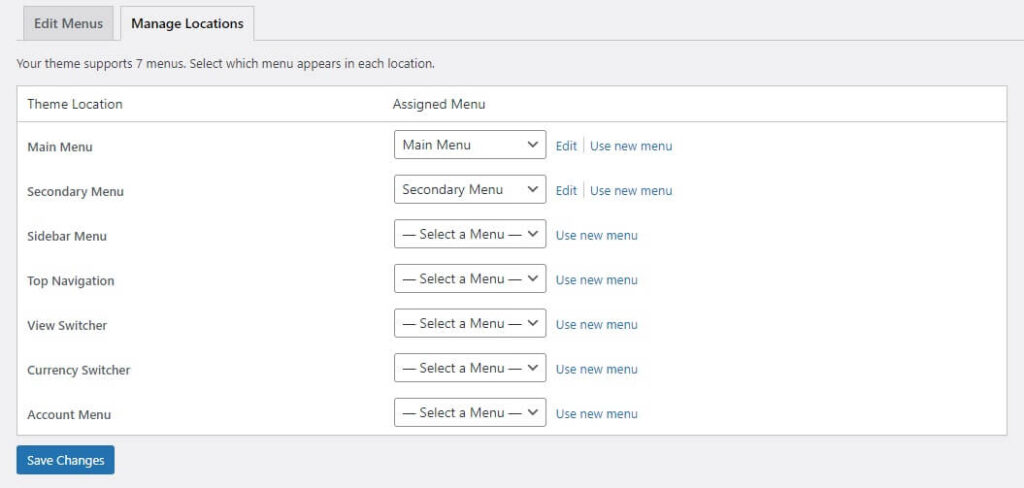
Adding Menus to Your Site
Porto provides various menu-related widgets that can be customized and positioned across your site:
- Porto Navigation Menu (Menu)
- Porto Toggle Dropdown Menu (Toggle Dropdown Menu)
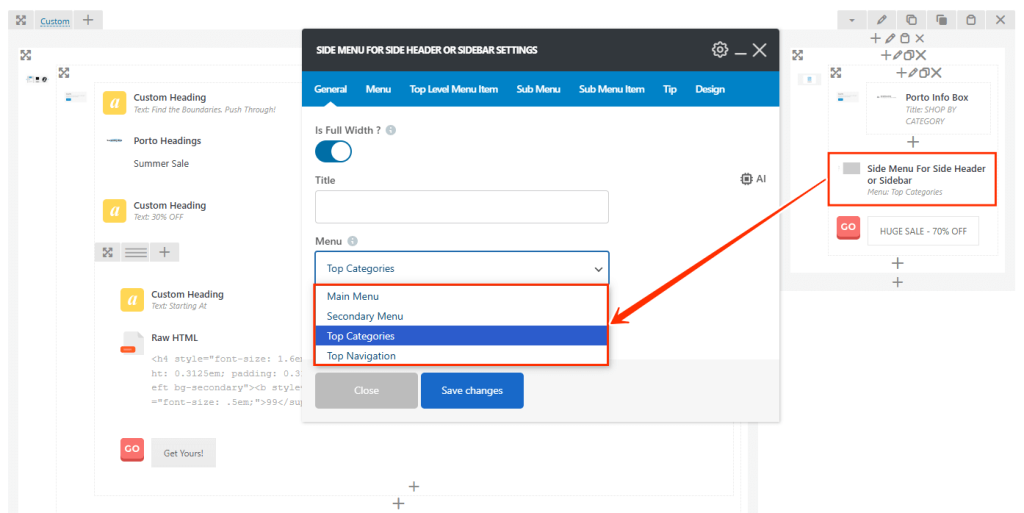
- Porto Side Menu (Side Menu For Side Header or Sidebar)
- Porto Switcher (View Switcher)
1. Porto Navigation Menu (Menu)
This widget allows you to place menus assigned as the "Main Menu," "Secondary Menu," "Top Navigation," or the "Main Toggle Menu(deprecated )". Available within the Porto Header builder, it’s ideal for creating intuitive, organized navigation.
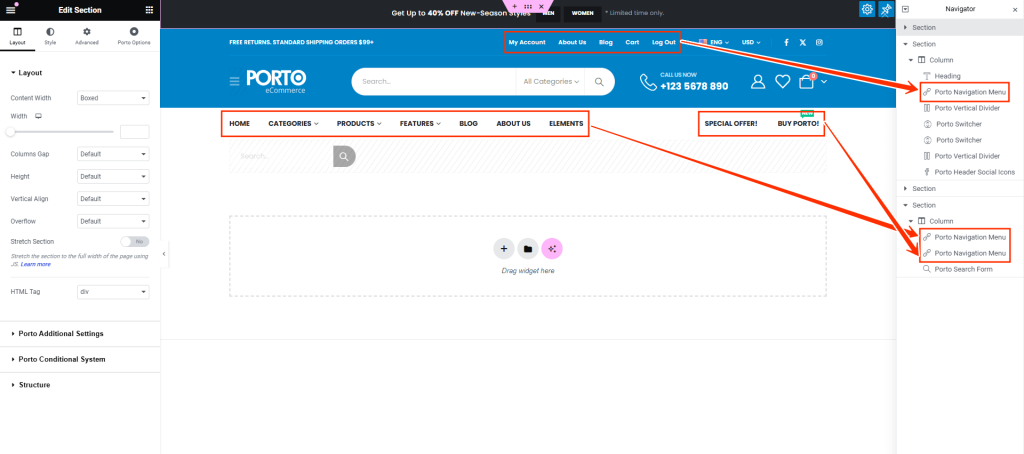
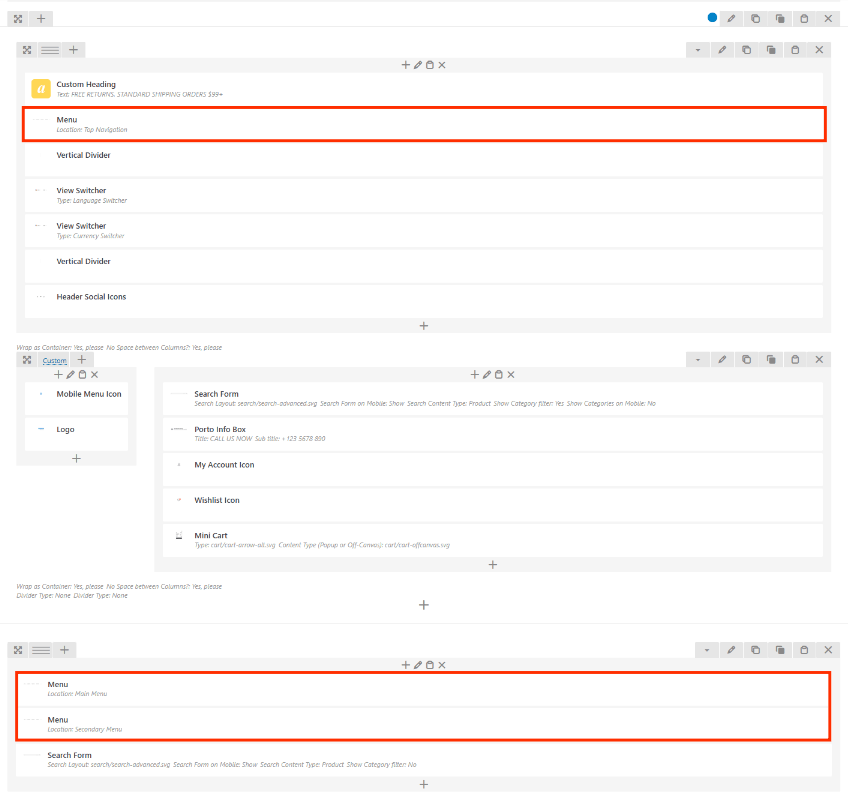
2. Porto Toggle Dropdown Menu (Toggle Dropdown Menu)
A perfect fit for mobile-friendly navigation, this widget displays a toggle dropdown menu that shows items only when activated by the user. Assigned typically as the "Main Menu," this widget is activated through a clickable or tappable icon, often shown as the three-line "hamburger" icon.
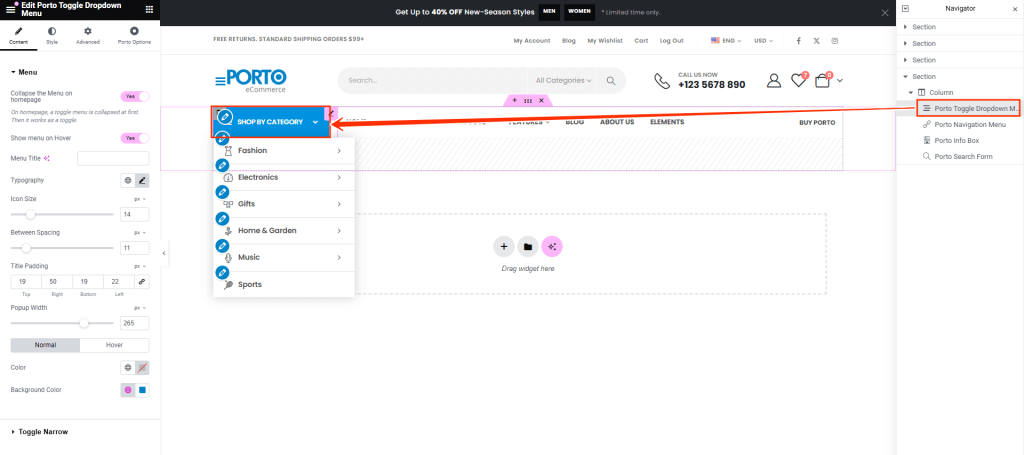
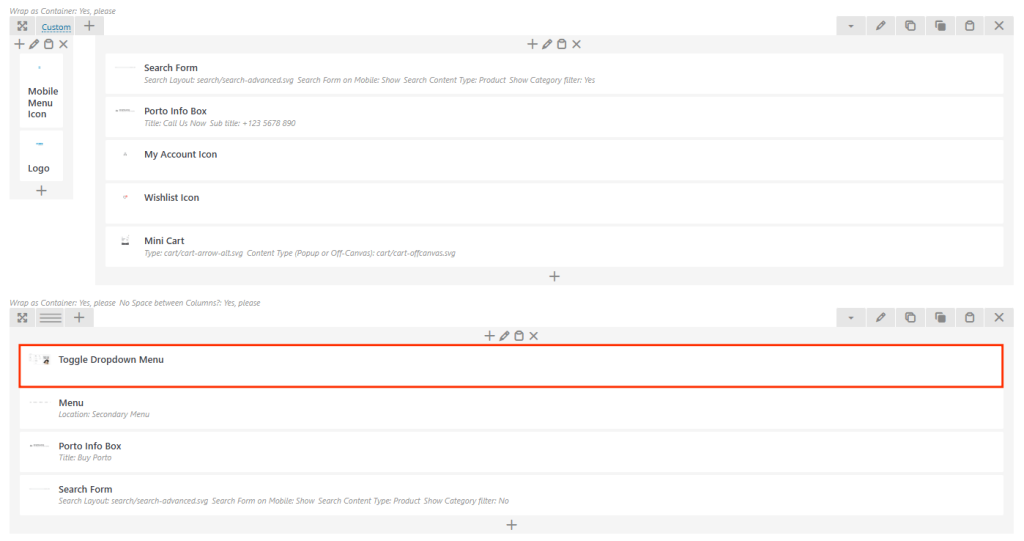
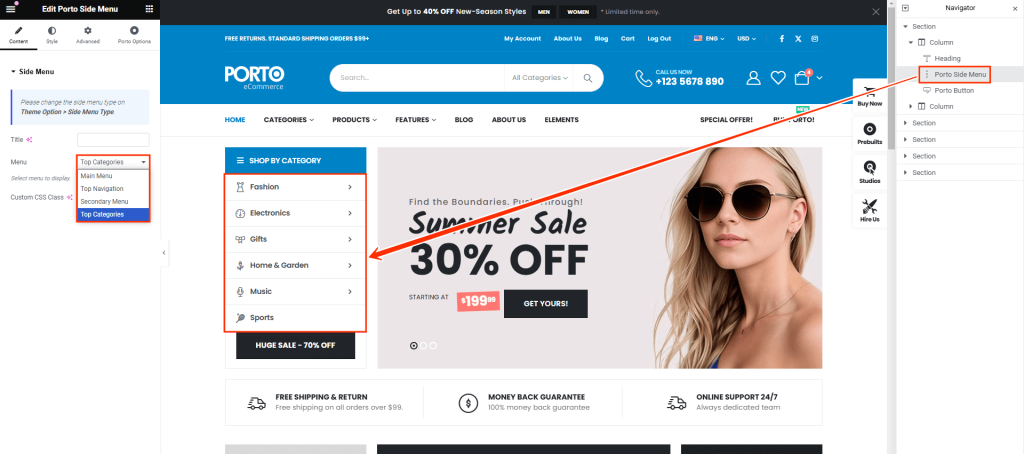
3. Porto Side Menu (Side Menu For Side Header or Sidebar)
This widget is ideal for side headers or sidebars and can display any menu created in Appearance > Menus. Porto Side Menu is available for use within both Porto builders and across pages, making it versatile for both desktop and mobile experiences.
4. Porto Switcher (View Switcher)
The Porto Switcher widget displays language and currency switchers in your header. After placing this widget, go to Porto > Theme Options > Header > Language, Currency Switcher and enable options for “show language switcher” and “show currency switcher.” This will enable the switcher with sample content in the header.
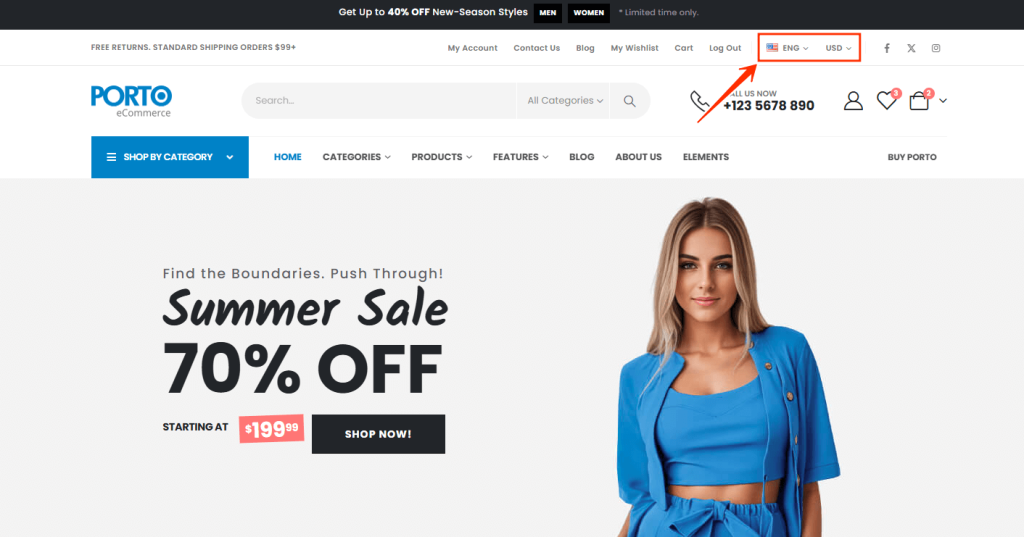
Note: For a fully functional multilingual or multicurrency site, you should install third-party plugins like WPML or Polylang for languages and WCML or FOX for currency management.
By leveraging Porto’s advanced menu system and widgets, you can provide a seamless, user-friendly navigation experience across desktop, tablet, and mobile views.
