
The Compare feature is an essential part of any eCommerce website, allowing customers to easily compare multiple products before making a purchase. The Porto Compare Icon Element makes it simple to integrate this functionality directly into your website’s header with full compatibility for the YITH WooCommerce Compare plugin.
Porto provides an intuitive, easy-to-customize Compare element that allows you to design your comparison process in a clear and user-friendly way. You can place the Compare icon anywhere in your header and personalize its look and behavior using multiple styling options.
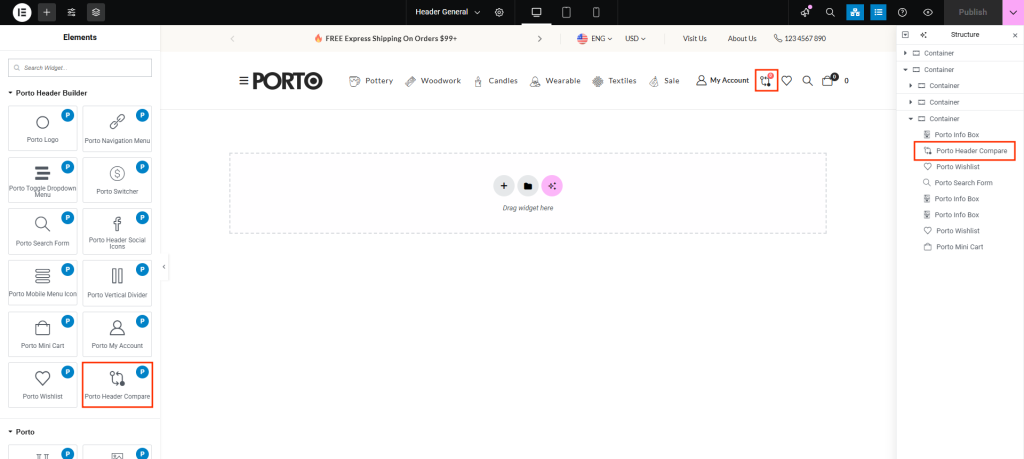
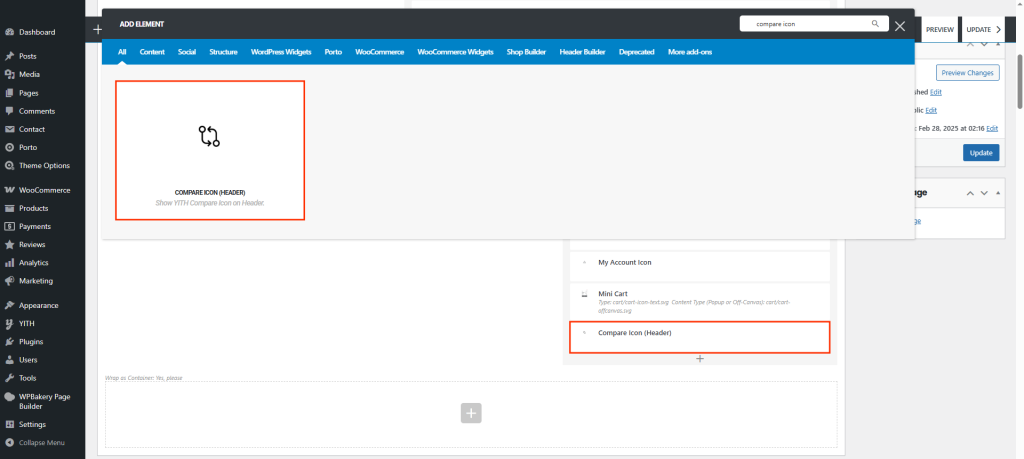
How To Use The Porto Compare Element
- Create or select the Column where you want to add your element, then click Add New Element.
- Select Porto Compare Icon Element from the Element List.
- Configure the Compare element’s display options and place it in the desired section of your header.
- After completing your configuration, click Save Changes to apply your settings.
Element Content Options
| Option | Description |
|---|---|
| Icon | Select the icon for your Compare button. |
| Icon Size | Set the size of the Compare icon to match your header design. |
| Show Label | Enable or disable the text label next to the Compare icon. |
| Color | Set the main color for the Compare icon. |
| Color on Sticky Header | Define a separate color for when the header becomes sticky. |
| Hover Color | Choose the icon color when hovered over by the user. |
| Hover Color on Sticky Header | Define a hover color specifically for the sticky header state. |
| Badge Color | Customize the text color of the badge displaying the number of compared items. |
| Badge Background Color | Set the background color for the badge. |
Integration with YITH Compare Plugin
To enable the Compare element, ensure the YITH WooCommerce Compare plugin is installed and activated on your website.
Once active:
- Clicking the Compare icon will open the compare table.
- The badge count will automatically update based on the number of products added for comparison.
You can configure additional compare options under YITH > Compare > Settings in your WordPress Dashboard.
