
The Grid/List Toggle element in the Porto theme allows users to switch between grid view and list view on product archive pages. This enhances the shopping experience by giving visitors full control over how products are displayed.
This element works in combination with the Porto Type Builder Archives element, which renders the appropriate product layout depending on the selected view.
When the user clicks the Grid icon, the archive displays products using the Post Layout assigned for grid mode.
When the user clicks the List icon, the archive displays products using the Post Layout for Live View (list layout).
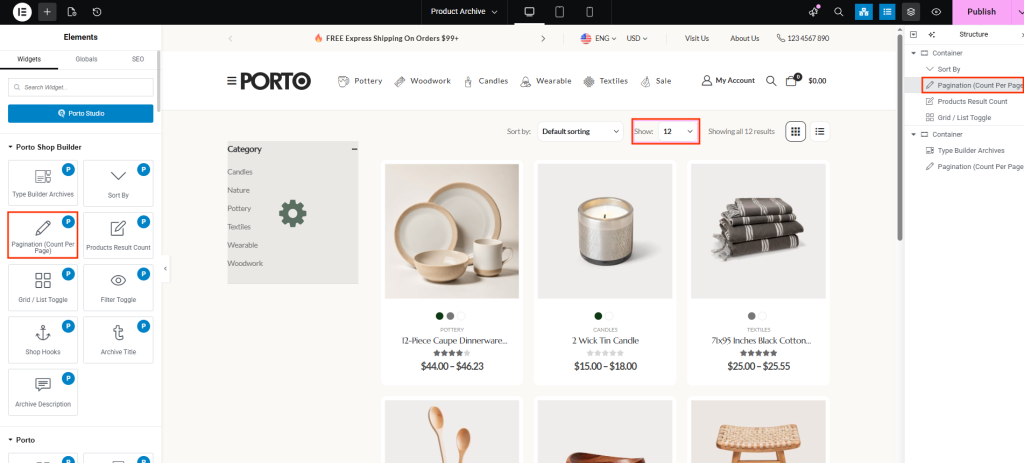
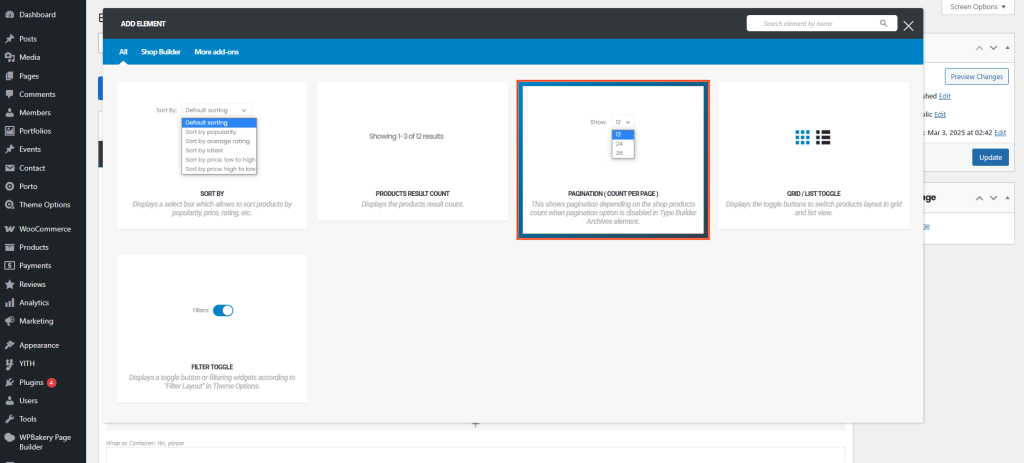
How to Use the Grid / List Toggle Element
-
Edit your Product Archive template
Open Porto → Template Builder → Product Archive and edit the archive block using WPBakery or Elementor.
-
Add the Grid / List Toggle Element
- In WPBakery, place the element inside the Porto Toolbox container.
- In Elementor, you can add it directly to the page layout.
-
Ensure Your Layout Types Are Ready
Create two product layout templates under Porto → Template Builder → Post Type- One layout for Grid Mode
- One layout for List Mode
The Grid/List Toggle element interacts with these templates.
-
The Element Automatically Applies the Layout Depending on user selection:
- Grid Mode → Renders the layout chosen under Post Layout in the Type Builder Archives element.
- List Mode → Renders the layout chosen under Post Layout for Live View.
No extra configuration is required beyond selecting icons.
Element Content Options
| Option | Description |
|---|---|
| Grid Icon | Select the icon used to represent Grid View. Clicking it renders the archive using the grid product layout defined in Type Builder Archives. |
| List Icon | Select the icon used to represent List View. Clicking it renders the archive using the list product layout defined in Type Builder Archives. |
Additional Tips
- The Grid/List Toggle only works properly when the Porto Type Builder Archives element is present on the same page.
- If no custom grid/list layouts are created, Porto will fall back to its default product layouts.
- In WPBakery, this element must be added inside the Porto Toolbox to appear correctly.
- In Elementor, the element functions independently without a toolbox.
