
The Porto My Account Icon Element is an essential part of modern website headers, providing users with quick access to their account information. This element enhances user experience by offering a clean, intuitive, and customizable account interface that fits seamlessly into your header design.
Porto’s My Account element is flexible — you can easily customize its icon, style, spacing, and dropdown behavior to match your website’s overall look and feel. It’s ideal for eCommerce sites using WooCommerce, where account access and user navigation are key.
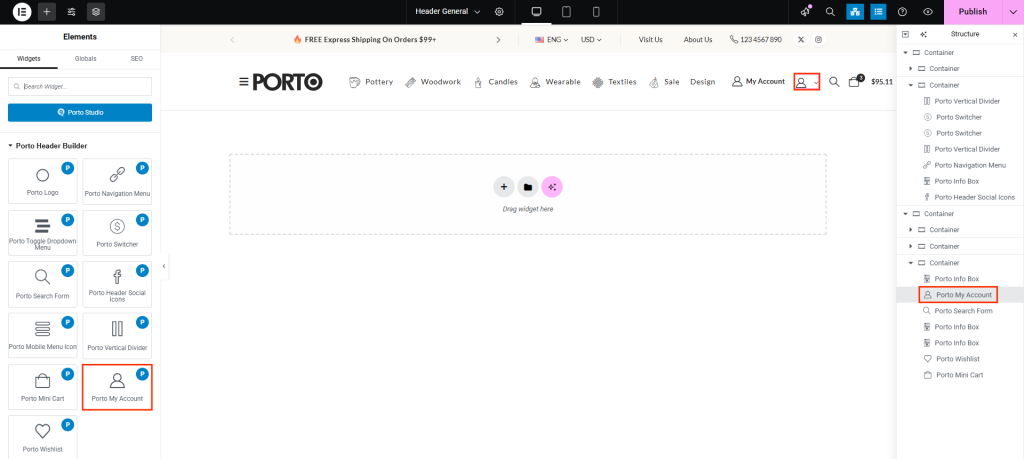
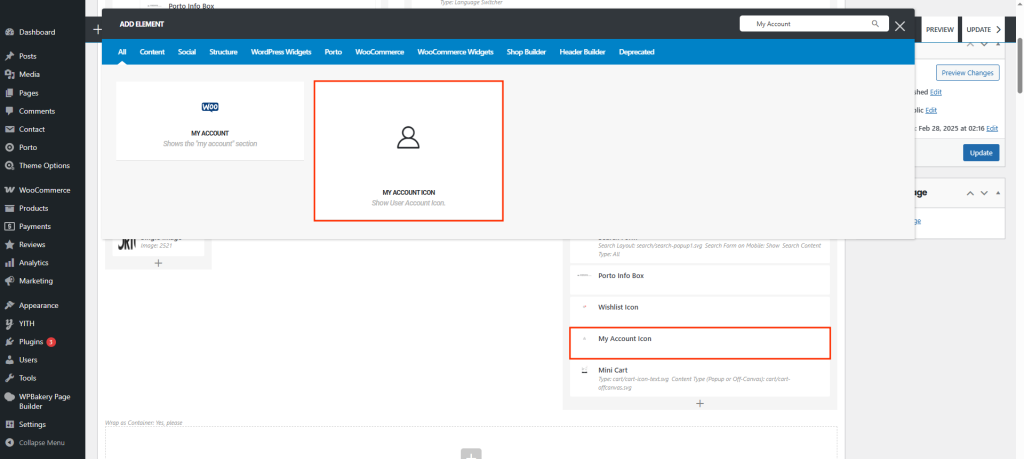
How To Use the Porto My Account Icon Element
- Create or select the Column in which you want to add the element. Click Add New Element.
- Select Porto My Account Icon Element from the element list.
- Configure the element’s design and position it appropriately within your header.
- After completing all configurations, save your changes to apply them.
Element Content Options
| Option | Description |
|---|---|
| Icon | Choose the account icon that best represents your design. Porto includes a wide selection of icons. |
| Icon Size | Adjust the size of the icon for better visual balance in your header. |
| Color | Set the default icon color. |
| Color in Sticky Header | Define the icon color that appears when the header becomes sticky during scrolling. |
| Hover Color | Set the color of the icon when hovered. |
| Hover Color in Sticky Header | Specify the hover color when the header is sticky. |
| Show Account Dropdown | Enable or disable the dropdown menu that appears when users click on the account icon. |
| Between Spacing | Control the spacing between the icon and any accompanying text or elements. |
| Background Color | Set the background color for the icon area. |
| Hover Background Color | Choose the background color that appears when the icon is hovered. |
| Link Color | Define the color of links within the account dropdown. |
| Link Hover Color | Set the color for links when hovered within the dropdown. |
Additional Tips
- The dropdown menu can include Login, Register, and My Account links based on user status.
- For consistent styling, ensure that account colors and typography match your header’s theme design.
