
The Porto Product Hooks element allows you to insert various WooCommerce action hook locations directly into your custom single product template.
This feature is designed for advanced users who want to integrate custom code, 3rd-party plugin outputs, or special functionality that relies on WooCommerce hooks.
Some hooks include an “Extra Plugin” option, enabling you to output additional content from compatible WooCommerce extensions that register actions on those hooks.
Important:
This element is marked as Deprecated because Porto provides dedicated product elements for most features. However, it is still useful when a plugin requires specific hook positions.
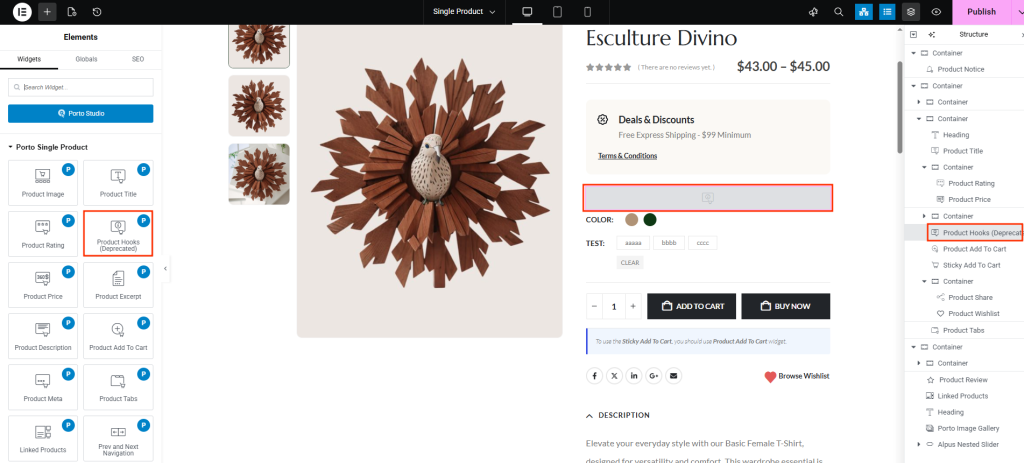
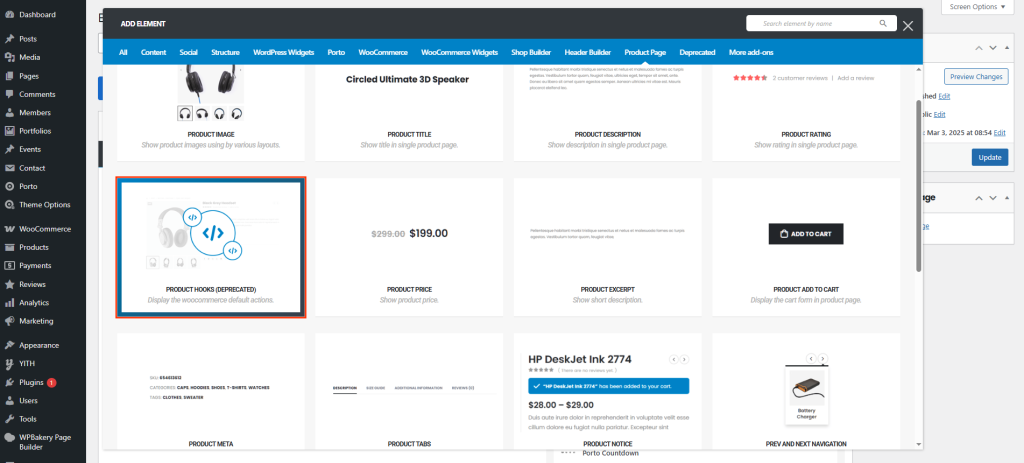
How to Use the Porto Product Hooks Element
- Open your template at Porto > Template Builder > Single Product using Elementor or WPBakery.
- Locate Product Hooks in the Porto elements panel.
- Drag and drop it into the section where you want plugin output or custom hook content to appear.
- In the content options, select the hook you want to output from the hook list.
- (Optional) Enable Extra Plugin if your plugin requires this hook (e.g., badges, custom notices, delivery dates). This is the main usage of this Porto Product Hooks Element.
- Save and preview your product page to ensure the hook renders correctly.
Hook List
Below are the WooCommerce hooks commonly used inside the single product page. These vary based on the plugin and theme environment.
| Hook Name | Position | Extra Plugin |
|---|---|---|
| woocommerce_before_single_product_summary | Before the summary area (commonly near the product image). | Yes |
| woocommerce_single_product_summary | Main product summary area (title, price, excerpt, add-to-cart region). | Yes |
| woocommerce_after_single_product_summary | After the summary (typically above tabs / additional info). | Yes |
| porto_woocommerce_before_single_product_summary | Porto-specific hook that runs before the summary (Porto extension point). | No |
| porto_woocommerce_single_product_summary2 | Porto-specific summary hook (an alternate Porto summary insertion point). | No |
| woocommerce_share | Social share area (commonly inside or below the summary). | Yes |
| porto_woocommerce_product_sticky_addcart | Porto sticky add-to-cart area (fixed/sticky add-to-cart bar). | No |
| woocommerce_before_single_product | Very top of the single product template (before product container). | Yes |
| woocommerce_product_meta_start | Start of the product meta block (before SKU/categories/tags). | Yes |
| woocommerce_product_meta_end | End of the product meta block (after SKU/categories/tags). | Yes |
| woocommerce_after_single_product | After the full product content (end of product container). | Yes |
| woocommerce_product_thumbnails | Product gallery thumbnails area (near the main image). | Yes |
What “Extra Plugin” Option Does
When Extra Plugin = ON for a hook, Porto will allow outputs from third-party plugins or Porto extensions that register callbacks on that hook. Use this only when a plugin’s documentation states it injects content into that specific hook — enabling it avoids Porto suppressing external actions.
Additional Tips
- Use hooks only when required by the plugin or for custom code — prefer Porto’s element counterparts for built-in features.
- If an expected plugin output doesn’t appear, enable Extra Plugin on the hook and re-test.
- Avoid placing multiple hooks that render the same plugin output to prevent duplicates.
- When debugging hook output, temporarily inspect theme/plugin code or enable query logging to confirm which hook a plugin uses.
- Test on staging and across mobile/tablet views — some hook outputs may require CSS adjustments.
