
The Porto Product Notice element is a simple but essential component in the Single Product Builder. It displays WooCommerce system messages—such as “Product added to cart,” errors, stock warnings, or any other WooCommerce notices—directly in the location where you place this element.
Unlike other widgets, the Product Notice element has no internal settings or styling options. Instead, it serves as a dedicated placeholder for WooCommerce to output its dynamic notifications. This ensures customers receive clear visual feedback during actions such as adding items to the cart or performing form-related actions.
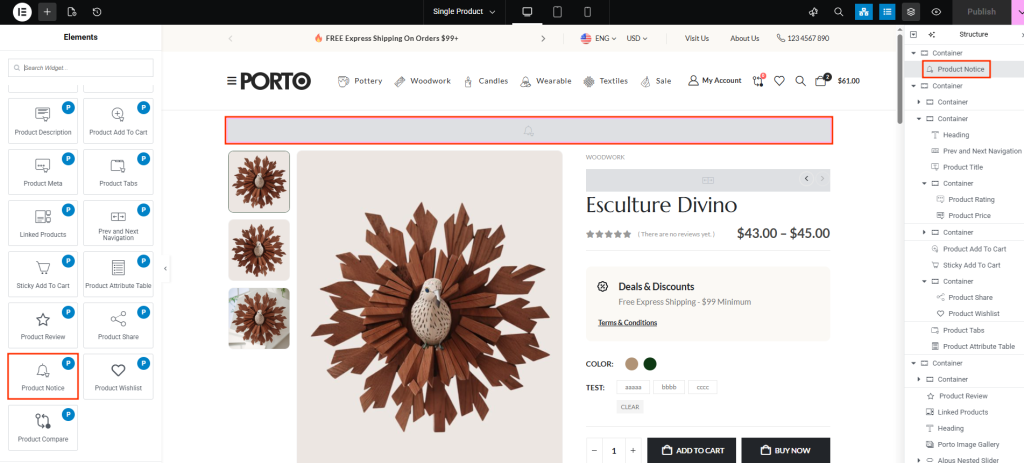
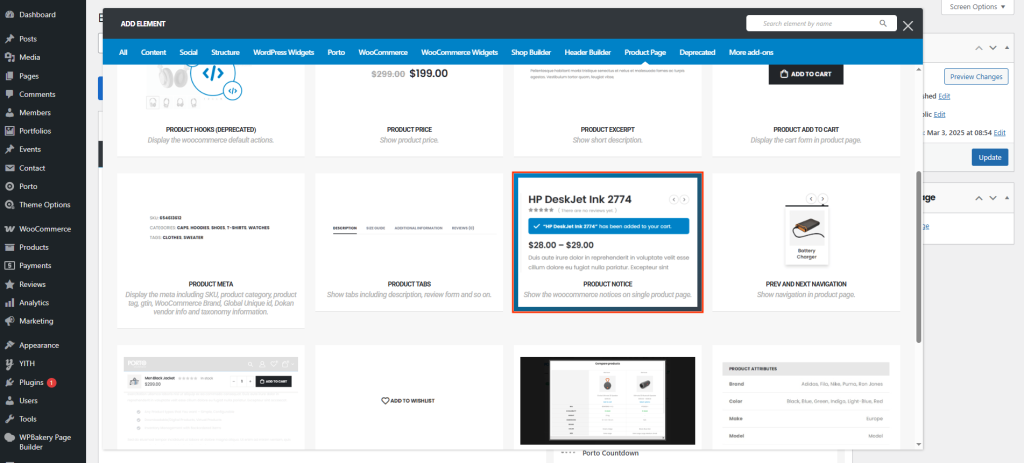
How to Use the Porto Product Notice Element
-
Open the Single Product Template
- Go to Porto > Template Builder > Single Product.
- Choose Elementor or WPBakery as your editor.
-
Add the Product Notice Element
- Drag and drop Product Notice into your layout.
- Recommended placement: Above the product content or below the Product Title, where users will easily see messages.
-
Save Your Template
- Publish or update the single product template.
-
Trigger WooCommerce Actions
- Visit a product on the front-end.
- Add it to the cart or perform another WooCommerce action.
- The notice will appear exactly where you placed this element.
Element Content Options
The Porto Product Notice element does not include any configurable options.
- Receives WooCommerce status messages
- Displays success messages (e.g., “Product added to your cart.”)
- Displays errors or required-field warnings
- Follows default WooCommerce styling unless overridden by theme CSS
Since no settings are available, its behavior is entirely dependent on WooCommerce.
Additional Tips
- Place it prominently: For best UX, position the Product Notice element near the top of your product page layout so customers immediately see feedback after adding items to their cart.
- Styling via theme: Even though the widget has no internal options, you can style WooCommerce notices using Custom CSS or Porto’s theme settings.
- Avoid duplicates: Only add one Product Notice element per product template to prevent duplicate messages.
- Works automatically: No setup needed—WooCommerce will automatically send notices to this container.
