
The Porto Product Rating element displays the average customer rating and review count for each product on your single product page.
It visually represents user feedback with customizable stars and optional review text, helping you highlight customer satisfaction and build trust.
With flexible design controls, you can adjust star sizes, colors, typography, and layout direction to ensure the rating section fits seamlessly into your product layout.
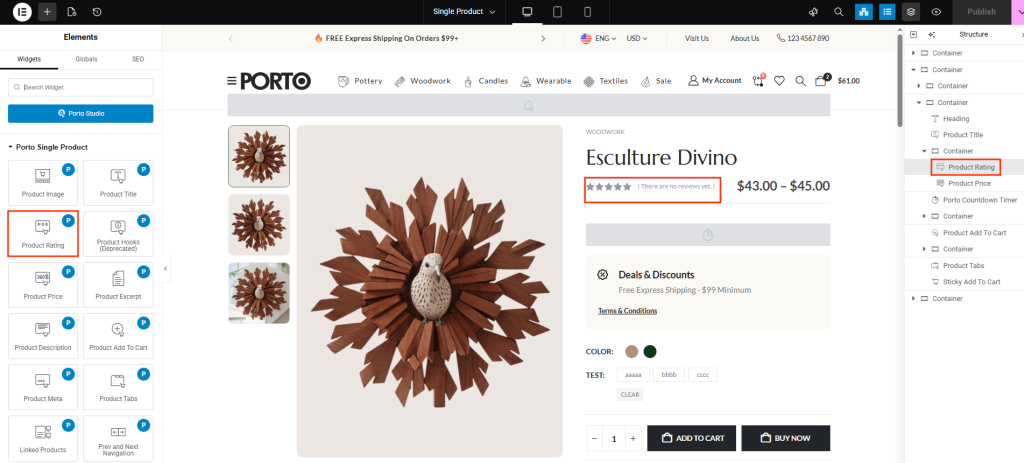
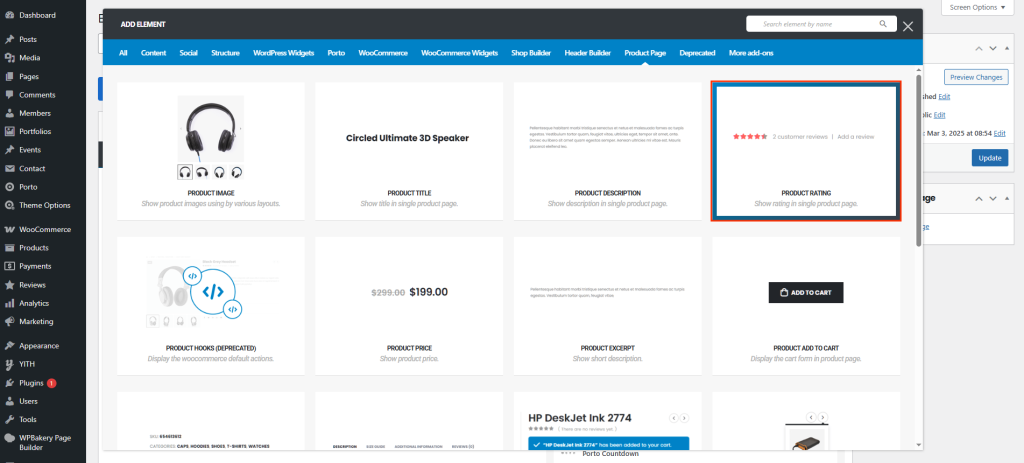
How to Use the Porto Product Rating Element
-
Open Single Product Template
- Go to Porto > Template Builder > Single Product.
- Choose Elementor or WPBakery Page Builder as your editing tool.
-
Add the Product Rating Element
- From the Porto Single Product Elements panel, drag Product Rating into your layout.
- Place it near the product title or price section for best visibility.
-
Customize the Appearance
- In the Element Content Options panel, configure star size, colors, review typography, and separator settings.
-
Save and Preview
- Save your template and preview it on a product page to ensure the rating and reviews appear correctly.
Element Content Options
| Option | Description |
|---|---|
| Rating Size | Adjusts the size of the rating stars. Use this to emphasize or minimize the rating display. |
| Background Star Color | Defines the color of the inactive (unfilled) stars. |
| Active Color | Sets the color of the filled (active) stars representing the average rating. |
| Review Typography | Controls font size, weight, and style for the review count text (e.g., “(3 customer reviews)”). |
| Review Color | Changes the color of the review text. |
| Hide Separator | Toggles the visibility of the separator between the stars and the review text. |
| Direction | Sets the layout direction — choose between horizontal or vertical alignment of the stars and review text. |
Additional Tips
- Placement Recommendation: Position the rating element near the product title to increase visibility and trust.
- Contrast Considerations: Ensure that star colors contrast well with the background for better readability.
- Typography Matching: Match review typography to your product meta or description font for a consistent visual hierarchy.
- Responsive Design: Check rating visibility and spacing across devices, especially for smaller star sizes on mobile.
