
The Porto Product Review element is a dedicated component of the Single Product Builder that displays the customer review section on your WooCommerce product pages. This element requires no configuration—it automatically pulls and displays reviews based on native WooCommerce settings.
The element is fully compatible with Customer Reviews for WooCommerce, default WooCommerce reviews, and Porto’s theme styling. This ensures seamless integration with existing review systems, including ratings, review forms, structured data, pagination, and verified badges.
Because it follows WooCommerce’s built-in review markup, it also maintains compatibility with SEO requirements such as schema.org Review markup.
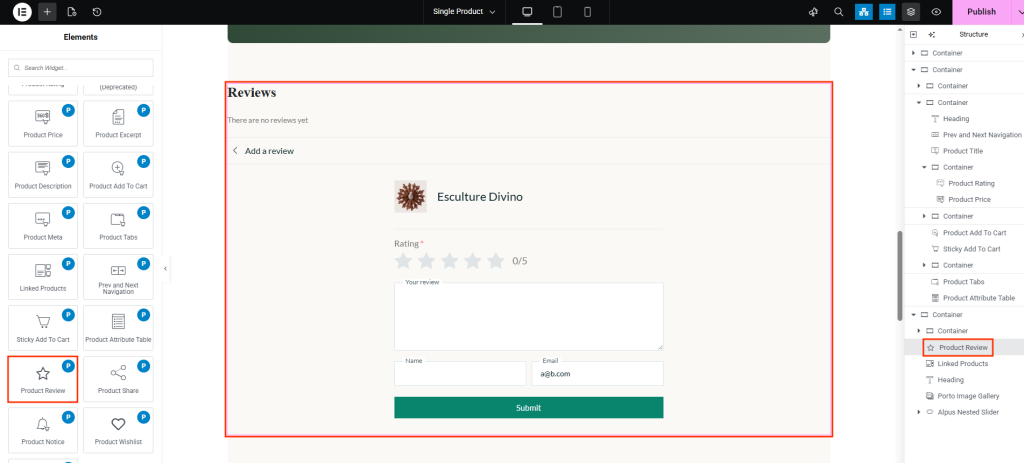
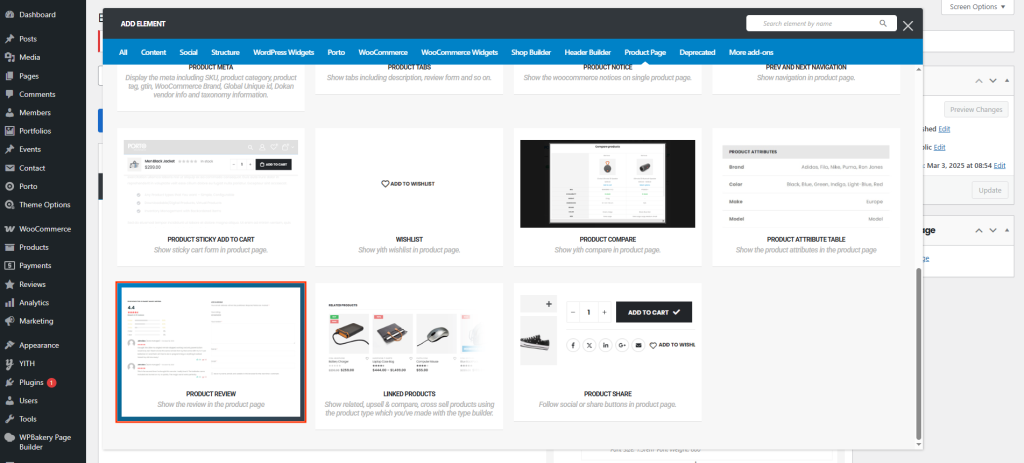
How to Use the Porto Product Review Element
- Open Your Single Product Template
Go to Porto > Template Builder > Single Product and select Elementor or WPBakery. -
Add the Review Section
From the Porto Single Product Elements panel, drag Product Review into your layout.- Most users place it below the Product Tabs or near the bottom of the page.
- Save and Preview
Since the element has no internal settings, the style and structure will automatically match WooCommerce and Porto theme formatting.
View a product page with reviews to confirm layout and styling.
Element Content Options
This element does not contain any content or styling options.
All display features come directly from WooCommerce and your active theme settings.
- WooCommerce review styling
- Porto theme style inheritance
- Star rating display
- Verified owner tags
- Review dates
- Review images or media (if added by third-party plugins)
- Customer Reviews for WooCommerce plugin compatibility
- Pagination for long review lists
- Review form / review submission section
Additional Tips
- For Better Readability: Use a light background with contrasting text colors.
- Consistent Design: Match typography and border styles with other elements like Product Meta or Product Tabs for visual harmony.
- Highlight Key Specs: If your products have many attributes, use the Include option to show only the most relevant ones.
- Multi-Column Layouts: When using two or more columns, increase vertical spacing slightly to maintain clear separation between rows.
- Mobile Optimization: Verify the table’s readability on smaller screens; reduce the number of columns or padding if needed.
