
The Porto Shop Hooks element allows you to insert WooCommerce shop-level action hooks directly into your custom Product Archive template.
These hooks give you fine-grained control over where WooCommerce or third-party plugin outputs appear within the archive (shop) page layout.
This element is ideal for advanced users who want to display custom code, plugin-generated content, dynamic notices, banners, promotions, or any feature that relies on WooCommerce archive hooks.
How to Use the Porto Shop Hooks Element
- Open Your Product Archive Template
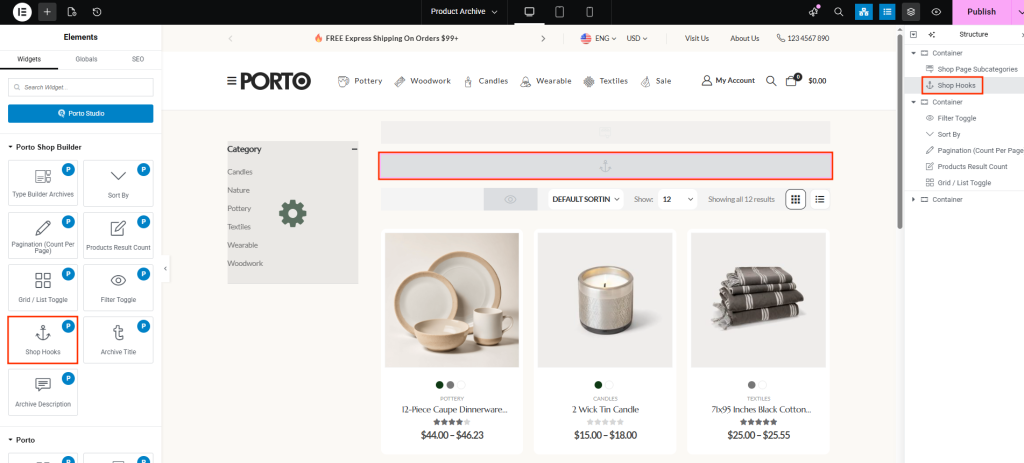
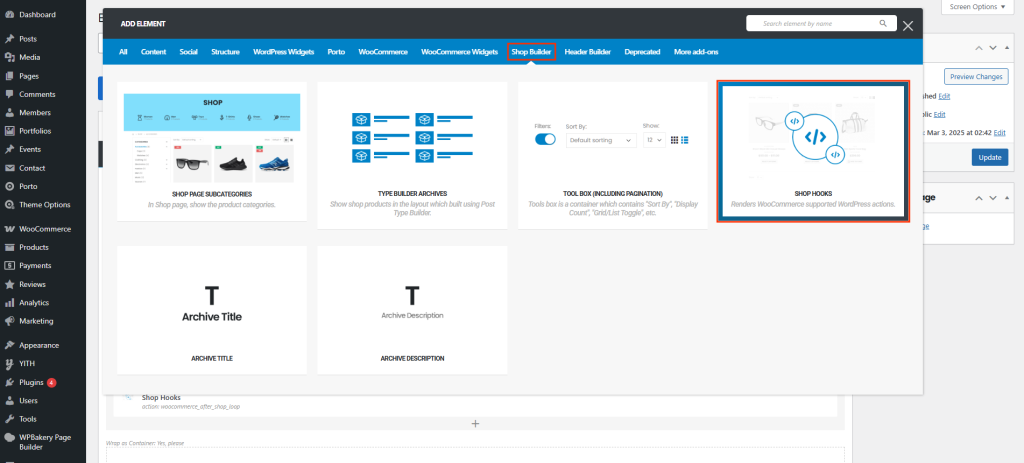
Navigate to Porto → Template Builder → Product Archive and edit your archive block with WPBakery or Elementor. - Insert the Shop Hooks Element
Locate Shop Hooks in the Porto elements panel and drag it into your layout at the desired position. - Select a Hook Location
In the element settings, choose the WooCommerce hook you wish to output. This determines where the custom content appears inside the archive page structure. - Save & Preview
Update your archive template, clear cache if needed, and preview your shop page to confirm the hooked content appears as expected.
Hook List
Below are the WooCommerce hooks commonly used in the Product Archive (Shop) page. Porto exposes the following hooks through the Shop Hooks element.
| Hook Name | Position |
|---|---|
| woocommerce_before_shop_loop | Displays content before the product loop — often used for banners, notices, or plugin messages. |
| woocommerce_after_shop_loop | Displays content after the product loop — often used for promotions or additional CTAs after the product grid. |
What the Shop Hooks Element Is Used For
You would typically add a Shop Hooks element when:
- A WooCommerce plugin requires a specific archive hook to output content.
- You want to place custom PHP output without editing template files.
- You need a banner, message, or promotion above or below the product list.
- You’re building a custom shop layout where default hook positions are removed.
This element gives full control over hook placement within your custom archive block.
Additional Tips
- Avoid duplicates.
If content appears twice, check whether the theme already outputs that hook by default.
- Use child theme for custom PHP output.
add_action('woocommerce_before_shop_loop', 'my_custom_shop_banner');
function my_custom_shop_banner() {
echo 'Free shipping this week!';
}
The Shop Hooks element will display this wherever you place it.
- Useful for debugging plugin output.
If plugin documentation says “This feature uses woocommerce_before_shop_loop”, simply add the Shop Hooks element with that action selected.
- Keep layouts clean.
Shop Hooks should be used sparingly — most shop functionality is already available through Porto’s archive builder elements.
