
The Porto Author Box element is a dedicated component of the Porto Single Builder that displays author information on single post pages. It helps visitors quickly identify the post author while improving content credibility and user engagement.
This element automatically pulls author data from WordPress, including the author name, profile image, and biography. At the same time, it provides detailed typography and spacing controls, allowing you to match the author box with your site’s overall design.
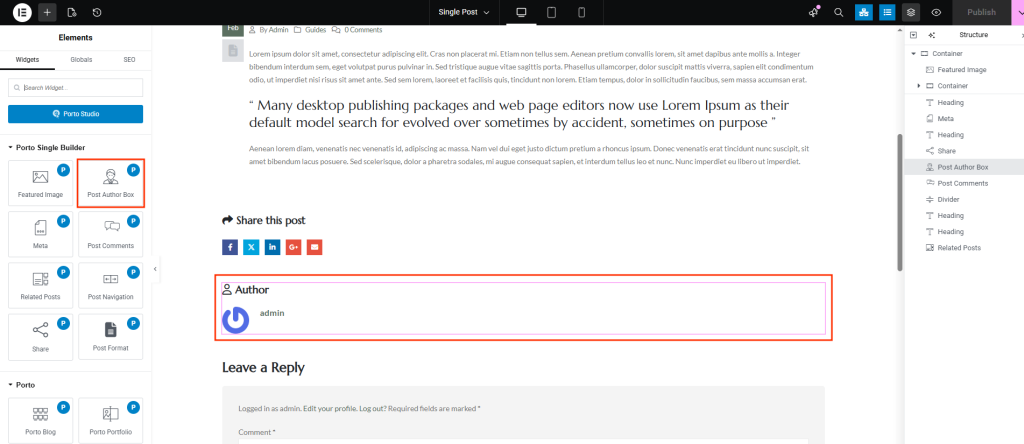
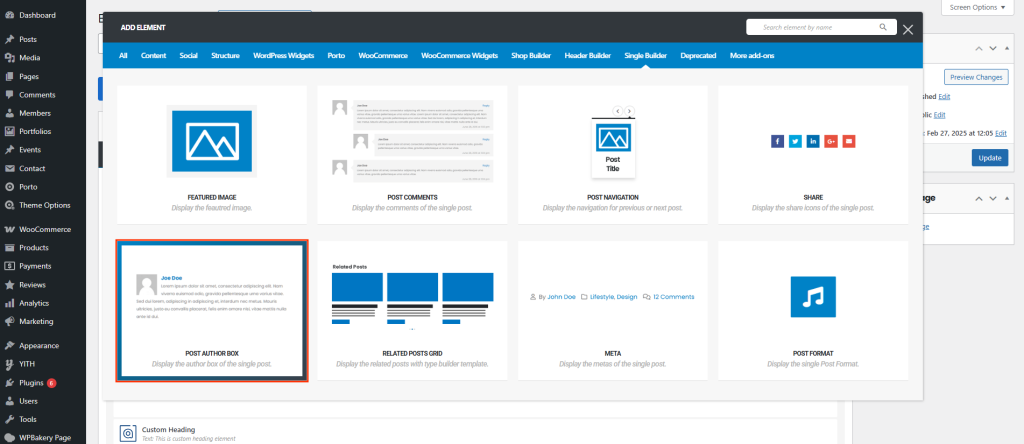
How to Use the Porto Author Box Element
-
Open a Single Post Template
First, navigate to Porto → Template Builder → Single Post.
Then, edit your template using Elementor or WPBakery Page Builder. -
Add the Author Box Element
Next, open the builder panel.
Locate Author Box under Porto Single Builder Elements.
After that, drag and drop the element into your layout where you want the author information to appear. -
Customize the Author Box
Now, open the element settings to adjust typography, colors, spacing, and image appearance. All author information is loaded dynamically from the post author profile.
Author Box Options
The Porto Author Box focuses on visual customization while keeping content dynamic.
- Title Settings
| Option | Description |
|---|---|
| Author Title Typography | Controls font family, size, weight, and style of the author title |
| Author Title Color | Sets the color of the author title text |
| Hide Author Icon | Hides the author icon if a cleaner layout is preferred |
| Icon Spacing | Adjusts spacing around the author icon |
- Layout & Spacing
| Option | Description |
|---|---|
| Author Spacing | Controls spacing between author image and text content |
| Author Image Max Width | Sets the maximum width of the author profile image |
| Author Image Border Radius | Adjusts the roundness of the author image |
- Author Name Settings
| Option | Description |
|---|---|
| Author Name Typography | Controls font style and size for the author name |
| Author Name Color | Sets the text color of the author name |
- Author Description Settings
| Option | Description |
|---|---|
| Author Description Typography | Controls typography of the author biography text |
| Author Description Color | Sets the color of the author description |
Notes on Usage
- The Author Box automatically displays information from the WordPress user profile.
- Typography and color controls help maintain design consistency across posts.
- Image sizing and border radius options allow for both modern and classic author styles.
- The Author Box is intended for use inside Single Post templates only.
Additional Tips
- Use subtle spacing and typography to keep the author box readable without overpowering the content.
- Rounded author images work well for blogs and personal branding.
- Consider hiding the author icon for minimal or editorial-style layouts.
- Always preview the author box on mobile devices to ensure proper alignment.
