
The Porto Post Comments element displays the comment list and comment form on single post pages created with the Porto Single Builder. It allows you to control spacing, typography, avatar styling, and interaction elements, ensuring that discussions remain readable and visually consistent with your layout.
Additionally, this element provides fine-grained control over both comments and replies. As a result, you can build a clean, structured discussion area without writing custom CSS.
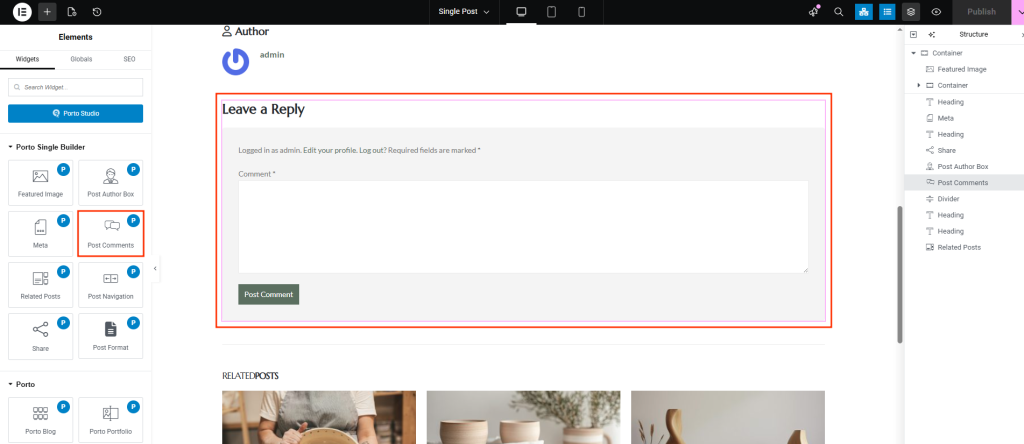
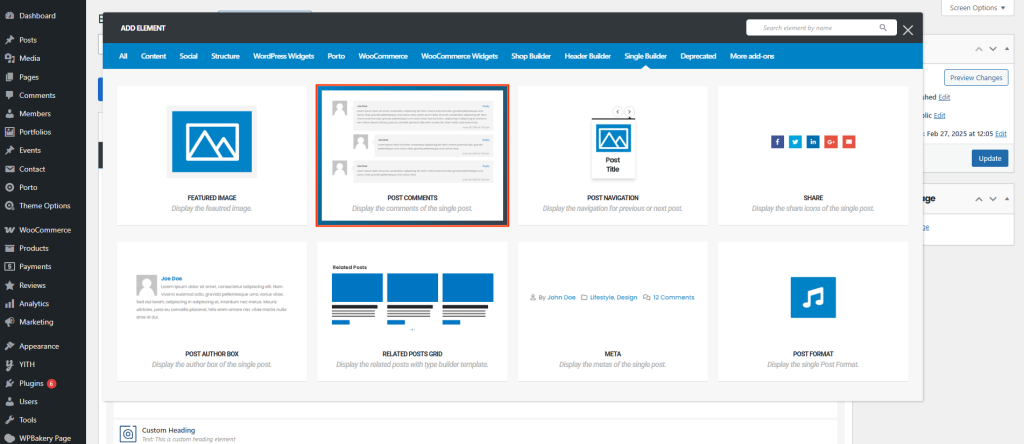
How to Use the Post Comments Element
-
Open a Single Post Template
First, navigate to Porto → Template Builder → Single Post.
Then, edit your template using Elementor or WPBakery Page Builder. -
Add the Post Comments Element
Next, locate Post Comments under Porto Single Builder Elements.
After that, drag and drop the element into your layout, usually below the post content. -
Adjust Layout and Styling
Finally, open the element settings to configure spacing, avatar size, typography, and colors.
Post Comments Element Options
All options are available within the same widget and are organized to simplify configuration.
- General Layout Settings
| Option | Description |
|---|---|
| Hide Author Icon | Hides the author icon displayed in comments |
| Space Between Comments | Controls spacing between individual comments |
| Space Between Comment and Reply | Adjusts spacing between a comment and its replies |
| Space Between Reply and Form | Sets spacing between the last reply and the comment form |
- Avatar Settings
| Option | Description |
|---|---|
| Avatar Image Spacing | Controls spacing around the commenter’s avatar |
| Max Width of Comment Avatar Image | Sets the maximum width of the avatar image |
| Border Radius of Comment Avatar Image | Controls the roundness of avatar images |
- Comment Author & Meta Typography
| Option | Description |
|---|---|
| Commenter Title Typography | Typography settings for the commenter title |
| Commenter Title Color | Text color of the commenter title |
| Commenter Name Typography | Controls font style of the commenter name |
| Commenter Name Color | Sets the color of the commenter name |
| Commenter Settings Typography | Typography for reply, edit, or moderation links |
| Commenter Settings Color | Text color of commenter action links |
| Commenter Settings Hover Color | Hover color for commenter action links |
- Comment Date & Content
| Option | Description |
|---|---|
| Comment Date Typography | Typography for the comment date |
| Comment Date Color | Color of the comment date text |
| Comment Text Typography | Typography settings for the comment content |
| Comment Text Color | Color of the comment text |
- Comment Form Styling
| Option | Description |
|---|---|
| Comment Form Heading Typography | Typography for the comment form heading |
| Comment Form Heading Color | Color of the form heading text |
| Comment Form Reply Typography | Typography for the reply title text |
| Comment Form Reply Color | Text color of the reply title |
| Comment Form Reply Hover Color | Hover color for the reply title |
| Space Between Reply Title and Button | Controls spacing between reply title and submit button |
| Comment Form Label Typography | Typography for form field labels |
| Comment Form Label Color | Color of form field labels |
Notes on Usage
- The element automatically loads comments from the current post.
- All spacing and typography settings apply to both comments and replies.
- Avatar options help align the comment section with your overall design.
- This element should be used only inside Single Post templates.
Additional Tips
- For better readability, increase spacing on posts with many replies.
- To improve usability, apply hover colors to reply links.
- For minimalist designs, reduce avatar size and border radius.
- Before publishing, preview the layout on mobile devices.
