
The Porto Post Share element allows you to display social sharing icons on single post layouts, helping visitors easily share your content across social networks.
This element dynamically loads the social platforms configured in Porto → Theme Options → General → Social Share, ensuring consistent behavior and branding across your site.
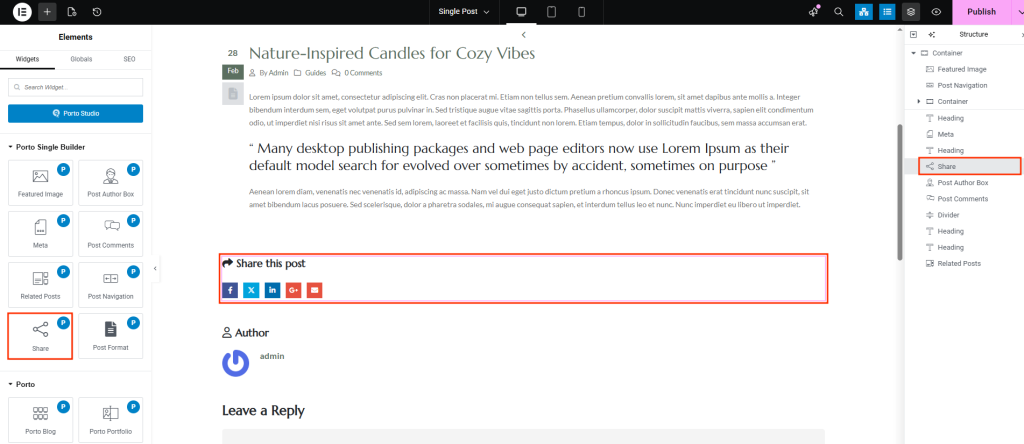
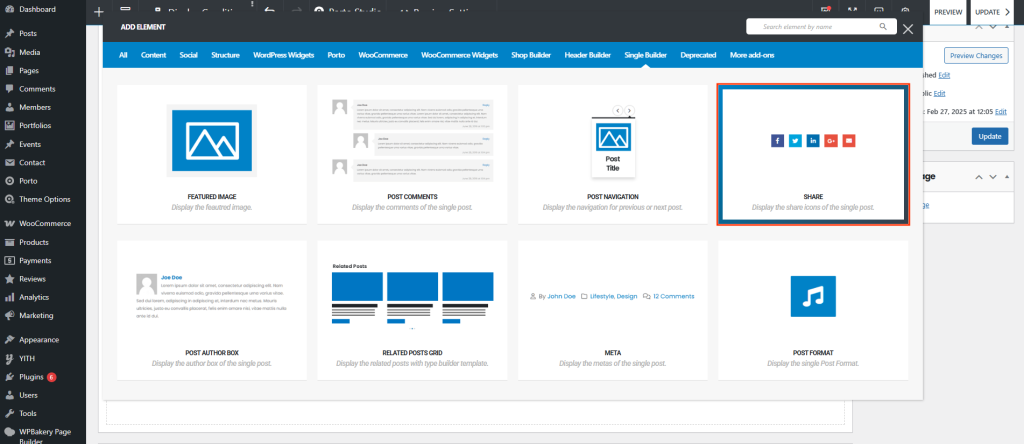
How the Post Share Element Works
Once added to a single post layout, the element:
- Displays enabled social share icons automatically
- Shares the current post URL and title
- Requires no manual network configuration inside the element
- Inherits platform settings from global Porto Social Share options
Post Share Options
- Content & Layout Options
These options control the structure and layout of the Post Share element.
| Option | Description |
|---|---|
| Inline Style | Displays share icons inline horizontally instead of stacked layout. |
| Hide Heading | Hides the share heading text (for example, “Share”). |
| Without Icon | Displays text-only share links without icons. |
| Icon Spacing | Controls spacing between individual share icons. |
| Title Spacing | Sets spacing between the share heading and icons. |
| Share Width | Defines the width of each share button or icon container. |
| Share Spacing | Adjusts spacing between share items. |
| Border Radius | Controls rounding of share button corners. |
| Box Shadow | Adds shadow effects to share buttons for visual depth. |
- Typography & Color Options
These options control text appearance and icon styling.
| Option | Description |
|---|---|
| Share Heading Typography | Controls font settings for the share heading text. |
| Share Heading Color | Sets the color of the share heading. |
| Share Icons Typography | Adjusts font size and weight for icon-based fonts. |
| Normal Color | Defines icon and text color in normal state. |
| Normal Background Color | Sets background color of share buttons in normal state. |
| Hover Color | Defines icon and text color on hover. |
| Hover Background Color | Sets background color when hovering over share buttons. |
Usage Notes
- Social platforms are controlled globally in Porto Theme Options
- The element automatically reflects enabled or disabled networks
- Styling options apply uniformly across all share icons
- Fully responsive and touch-friendly
Best Practices
- Place the Post Share element near the post title or end of content
- Use inline style for compact layouts
- Apply hover colors for clear user interaction feedback
- Match border radius and shadows with your theme’s button styles
