
To ensure a smooth experience when using the Porto theme, it is important to meet the necessary wordpress setup requirements and follow best practices during installation. Below is a clear and detailed guide to help you through the setup process.
1. Porto Theme Requirements
Before using the Porto theme, your environment must meet the following wordpress setup requirements:
- WordPress CMS: Ensure that you have the latest version of WordPress installed.
- PHP Version: PHP 7.4 or higher is required, as per WordPress standards.
- HTTPS Support: Your site should be running on HTTPS to provide a secure connection.
- General WordPress Requirements: Your server should meet all standard WordPress hosting requirements.
2. WordPress CMS Installation
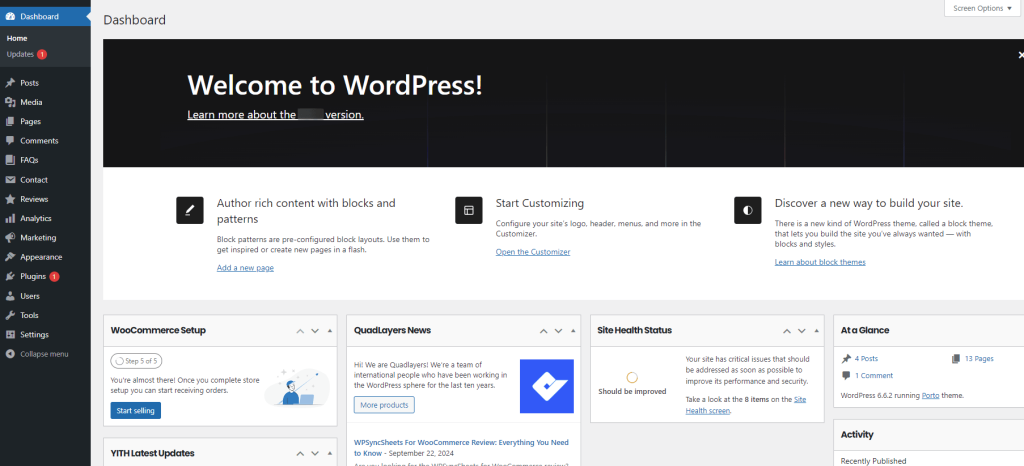
To use the Porto theme, you first need to have WordPress installed on your website.
Note: If you plan to install demo content, we recommend doing so on a fresh WordPress installation without any existing content, to avoid conflicts or data loss.
3. Installing WordPress CMS
Step-by-Step guide to installing WordPress
- Download WordPress: Obtain the latest version of WordPress from wordpress.org/download.
- Upload to Server: Upload the WordPress zip file to the root folder of your website and unzip it.
- Create a Database: Set up a MySQL or MariaDB database through your hosting panel.
- Configure WordPress: Follow the instructions to set up WordPress on your site.
Useful Links to install WordPress CMS
4. Recommended PHP Configuration Limits
While installing the Porto theme or importing demo content, you might encounter errors such as a white screen or PHP-related issues. These problems typically arise from insufficient PHP configuration limits. To avoid such issues, we recommend adjusting the following PHP settings:
- memory_limit: 512M
- post_max_size: 64M
- upload_max_filesize: 64M
- max_execution_time: 600 seconds
- max_input_vars: 2,000
You can modify these settings either by editing your server’s configuration files (e.g., php.ini, wp-config.php or .htaccess), or by requesting assistance from your hosting provider.
By ensuring these requirements and settings are in place, you will optimize your WordPress environment for using the Porto theme and prevent potential issues during installation and usage.
