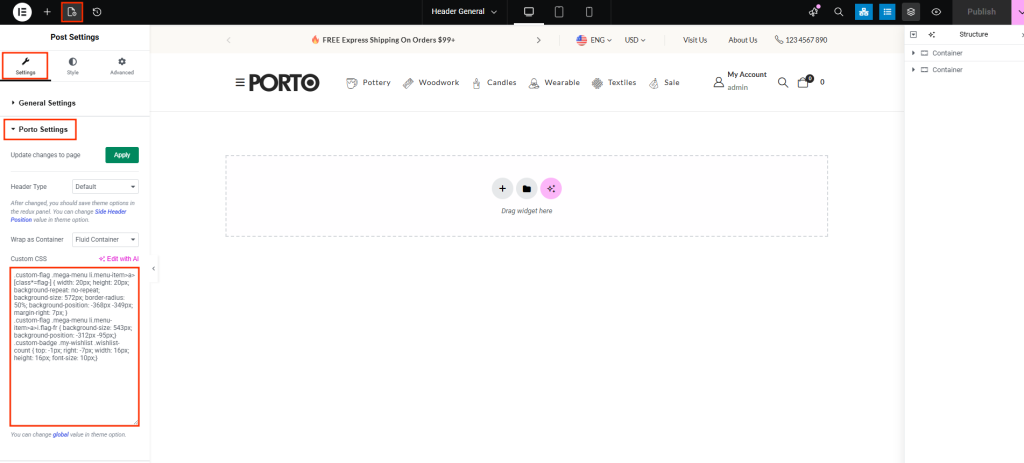
When editing a page with Elementor, Porto provides a dedicated Porto Settings panel where you can configure layout options and add page-specific Custom CSS.
Where to Find Custom CSS
-
Open the Page in Elementor
Edit any page, post, or Porto Builder block using Edit with Elementor.
-
Open the Post Settings Panel.
In the top-left corner of the Elementor editor, click the Post Settings icon. This opens Elementor’s page settings sidebar.
-
Open the “Porto Settings” Section
Inside the Post Settings sidebar, you will see a section called Porto Settings. This section contains Porto-specific options such as:
- Page layout
- Sidebar settings
- Page container options
- Custom CSS field
Click to expand Porto Settings.
-
Add Your Custom CSS
Inside the Porto Settings panel, locate the Custom CSS box. Enter any CSS you want to apply only to this page. This CSS applies immediately and affects only the current page you’re editing.
-
Save Your Changes
Click Update in Elementor to apply the CSS changes.